Works with BricsCAD (Windows) Classic, Pro and Platinum, BricsCAD (Linux) Classic, Pro and Platinum
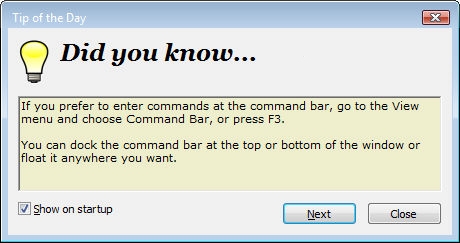
Displays tips in a dialog box; appears optionally when BricsCAD starts up.
Accessing the Command
command bar: tipofday
menu bar: Help | Tip of the Day
: tipofday
Displays a dialog box:
Click Next or Close.
Command Options
|
Option |
Description |
|
Toggles display of this dialog box when BricsCAD starts:
|
|
|
Displays the next tip. |
|
|
Closes the dialog box. |
Tips are stored in the tipofday.txt file, which can be edited and added to.
Related Commands
? and Help - open the Help dialog box.
| © Menhirs NV. All rights reserved. |