適用於 Bricscad(Windows)專業版及標準版、Bricscad(Linux)標準版
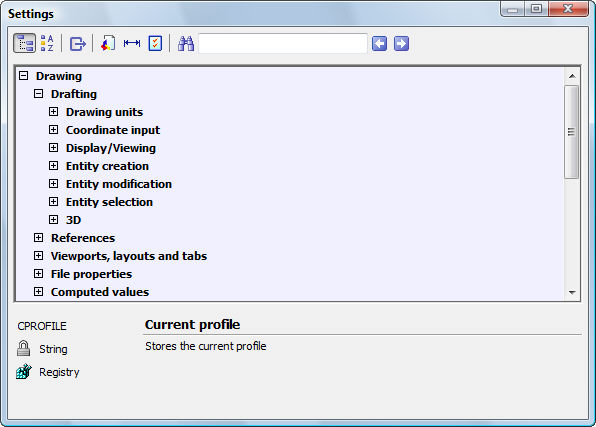
開啟「設定」對話方塊。
指令輸入
指令行: ddsetvar
透通指令: 'About
指令別名: settings
: ddsetvar
開啟「設定」對話方塊:
變更設定,然後按 X.
指令選項
|
選項 |
說明 |
|
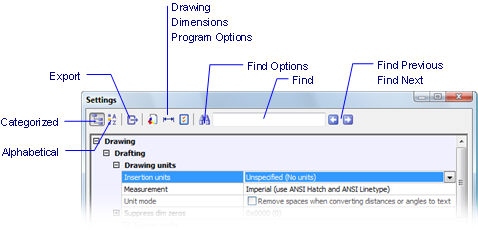
Lists system variables in categories. |
|
|
Lists system variables in alphabetical order by setting name. |
|
|
Exports the settings to a .csv file (comma-separated values);displays the Export 設定對話方塊. 點選 Save. The file can be opened in a word processor, spreadsheet,或database program. |
|
|
跳到對話方塊的 圖面 類別。 |
|
|
跳到對話方塊的 標註 類別。 |
|
|
跳到對話方塊的程式選項類別。 |
|
|
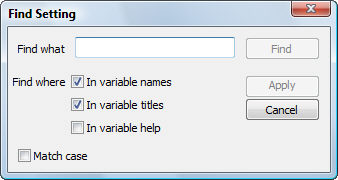
Displays the Find Options dialog box:
|
|
|
Enter the text you wish to search for. |
|
|
點選 to start the search. |
|
|
Specifies where to search for text:
|
|
|
Applies changes made to the Find Where options. |
|
|
Matches the pattern of upper and lowercase letters. |
|
|
Enters the name of a system variable, title,或help for Bricscad to search. The field changes color: Green - another entry exists for the search phrase;點選 the Find Next 按鈕。 Blue - the last entry has been reached;點選 Find Next to start again at the beginning. Orange - text does not exist in this dialog box. |
|
|
Finds the previous entry |
|
|
Finds the next entry. |
|
相關指令
SetVar - 由指令行變更系統變數的值。
| Bricscad™ 是 Bricsys NV 的商品,Bricsys NV 和 Vondle NV 是 Menhirs NV 全資的子公司。版權所有 © 2001- Menhirs NV - 保留所有權利。 |