Works with Bricscad (Windows) Classic and Pro, Bricscad (Linux) Classic
Specifies the look and size of point entities, through the Settings dialog box (short for "dynamic dialog point type").
Accessing the Command
command bar: ddptype
transparent: 'ddptype
alias: settings
: ddptype
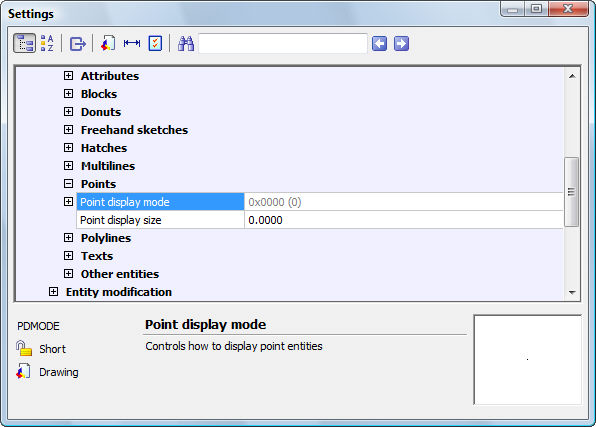
Displays the Settings dialog box at the Points section:
Change settings, and then click X.
Command Options
|
Option |
Description |
|
Specifies the look of points:
|
|
|
Specifies the size of points:
|
Related Commands
Point - places points in drawings.
Divide - places evenly-spaced points along entities.
Measure - places equi-distant points along entities.
| Bricscad™ is commercialized by Bricsys NV. Bricsys NV and Vondle NV are fully owned subsidiaries of Menhirs NV. Copyright © 2001- Menhirs NV - All rights reserved. |

