Platinum
 Platinum
 Platinum
 Platinum Platinum Platinum
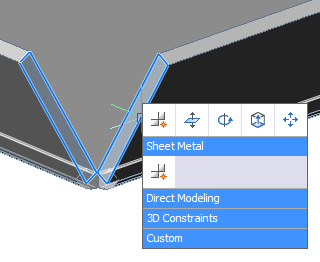
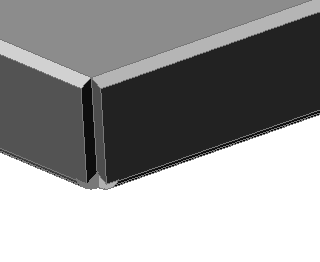
Closes gaps between two arbitrarily oriented flanges.
Accessing the Command
command bar: smflangeconnect
menu bar: Sheet Metal | Connect Flanges
toolbar: Sheet Metal | 
: smflangeconnect
Prompts you in the command bar:
Select planar thickness faces of two flanges: (Select the face on the first flange.)
Entities/subentities in set: 1
Select planar thickness faces of two flanges: (Select the face on the first flange.)
The flanges are connected.
If SELECTIONPREVIEW is 2 or 3, thickness faces of flanges highlight. Press the TAB key to select obscured faces.
Quad cursor menu
Select the planar thickness faces of two flanges, then choose
Connect Flanges () in the Sheet Metal
command group.
|
|
|
Command Options
No command options.
Procedures
Related Commands
SmFlangeBase - creates a base (initial) flange of a sheet metal part from a closed planar profile.
SmFlangeEdge - creates one or more flanges to a sheet metal part by pulling one or more edges of an existing flange.
SmFlangeRotate - rotates a selected flange of a sheet metal part with automatic selection of the rotation axis depending on the design intent.
SmUnfold - creates an unfolded 2D or 3Drepresentation of a sheet metal part.
| Copyright © Menhirs NV - Alle Rechte vorbehalten. |