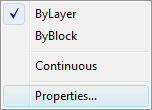
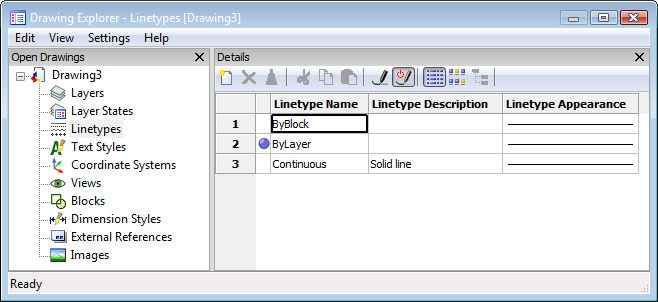
Option
Description
Lists the names of linetypes in a LIN file; displays the Select Linetype File dialog box:
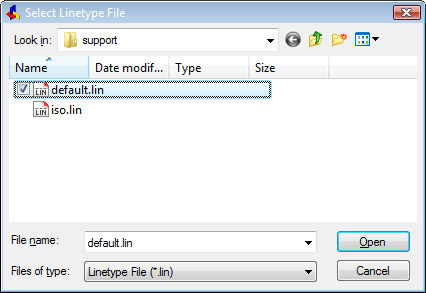
Choose a LIN file, such as default.lin, and then click Open.
Bricscad lists the names and details of the file's linetype definitions in the text window.
Creates new linetype definitions.
Name for new linetype
Specifies the name of the new linetype definition.
After you enter a name, such as "new," Bricscad displays the Create or Append Linetype File dialog box:
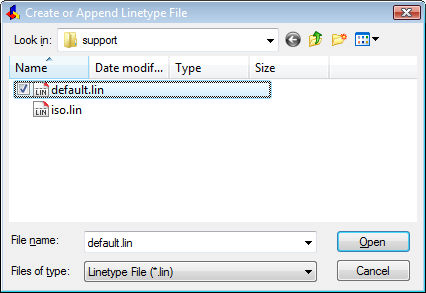
You add the new linetype definition to an existing LIN file: select its file name, and then click Open.
Bricscad checks if the name exists in the file:
One moment... Checking existing linetypes for "new."
And then carries on with the next prompt.
Linetype description
Describes the linetype, such as "Legal border."
Linetype definition
Defines the linetype pattern. Use the following coding:
-
Dashes - positive numbers, such as 0.5.
-
Spaces - negative numbers, such as 0.25.
-
Dots - zero (0).
Separate numbers with commas, such as 0.5, -.25, 0.
Bricscad adds the definition to the LIN file, and reports:
Linetype "new" was defined in "C:\...default.lin"
Loads a linetype definition from a LIN file. Prompts you:
Enter linetype to load - specify the name of the linetype, such as 'border'.
Displays the Select Linetype File dialog box; choose a LIN file, and then click Open.
Bricscad reports, "Linetype 'BORDER' loaded."
Sets a loaded linetype as the current (working) linetype.
? to list linetypes in drawing
Lists the linetype definitions in the drawing.
Linetype to set as current
Specifies the name of the linetype to set as the working linetype.